Contents
Chapter 1
What is an eCommerce site search solution?
Chapter 2
Why does site search matter in eComerce?
Chapter 3
How to improve and optimize your solution
Chapter 1
What Is An Ecommerce Site Search Solution? (Definition, Facts, Examples)
Those of you who are not familiar with the concept yet may ask: Paige, what do you mean by Site Search?
If you already know the basics, click here to skip to the juicy part to learn about:
Definition: an eCommerce site search solution is a search engine that is either built-in or integrated into your online store, and its job is to find the products the user is looking for by matching the user’s search keywords with the products in your store. Site search encompasses more than just the search box; it also refers to faceted search, product ranking, and synonym management.
It filters your products based on user queries. All input is matched with product recommendations; be it product name, color, size or product code.
eCommerce search engines have some similarities with Google search. The difference is that Google does content, text search while eCommerce search does structured attribute search where filtering and sorting are key features.
A Few Ecommerce Site Search Best Practices:
- Make the search box easy to spot
- Make the search box big enough for typical queries
- Personalize search suggestions with the use of machine learning
- Strong error tolerance for an uninterrupted user journey
- Search query autocomplete
- Natural Language Processing for better results
- Comprehensive search analytics for easy improvements and reporting
Know the Facts, Numbers Never Lie.
Some exciting stats:
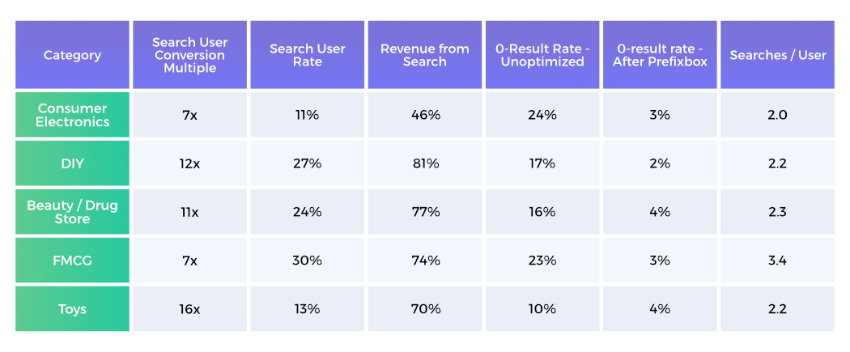
- Search users are much more likely to convert. In fact, on average they are 7-10 times more likely to convert than regular webpage visitors.
- Based on Prefixbox’s own data, in certain product categories, on-site search users convert 16x better.
- The second part of the equation is the ratio of search users among all users. Search users make up about 10-40% of all the users on your eCommerce site.
- Which means that 40% to 80% of your online revenue is generated by these search users. Mind blowing, right?
- Still 70% of (desktop) eCommerce search implementations are unable to return relevant results for product-type synonyms.
- What’s even worse is that on average, 10%-25% of all searches end on a 0-results page because most often, search engines aren’t able to process language – this means that shoppers have to search using the exact same jargon as the site does. When shoppers end up on a 0-results page, you’re essentially telling them you don’t carry the product they want to buy, which means they’ll purchase the produce elsewhere.
Just imagine the advantage you would gain by fixing these issues.
By lowering the rate of 0-result searches (you can easily decrease it to 3-5%) you immediately boost your chance of selling more.
Learn more about the most important autocomplete features needed to decrease 0-result searches and increase the shopping cart value by about 19% or more.
Overall, your job is to remove any obstacle that hinders a shopper during the buying journey. Encourage visitors on your site to use the search options in order to provide them with a seamless experience.
Know the users for whom you need to optimize the search.
There Are 2 Types of Visitors
1. The browser: This person is midway through the buying funnel. They’ve already heard about your product and have a vague idea about what they are looking for. Guidance is needed here, so automatic recommendations and prefilling the search bar help them get good results. You can set rules for this, but more on that later.
2. The searcher: This person is almost at the end of the buying funnel – they already know what they want from your catalogue. They are looking for something specific and are ready to type the brand, product name, color, size or even product code into the search bar. All they need is a good e-commerce search engine to pull up relevant products.
Beware: People who use the search already have a specific product in mind to buy when they visit a store – an accurate, fast search is necessay to direct these shoppers to the right products. Don’t count on users giving you a second chance.
Chapter 2
Why Does Site Search Matter in Ecommerce
Site search is often thought of as just the small bar where shoppers type in their searches, but it’s so much more than that.
It encompasses Autocomplete, Related Searches, the Search Engine, and Analytics. Together, these things transform your online store and can provide you with detailed insight into your customer behaviour that can be used in departments throughout the company.
It Saves You Tons of Money by Helping Your Users Find What They Are Looking for
Look: Visitors’ expectations change.
If you don’t meet their needs head on, they’ll leave your shop on the spot for your competitors who give them what they want.
Shoppers expect comfort, ease, and rapid results. Google search has conditioned people about what to expect from a search box.
What does this mean for you?
If you can’t deliver great experiences, you’ll lose customers to your competitors who can. Technology comes with a price, but more often than not, it’s worth the investment. The better the Site Search experience you offer, the more time and money shoppers will spend on your site. It’s as simple as this – all your visitors want is a more responsive site search experience.
Sure, sure, but what does it cost: eCommerce site search solutions range from as little as $200 to $600 a month.
This affordable price range has led to a huge surge in search popularity and usage.
Need some proof?
A study examining 21 eCommerce websites concluded the following: user-friendly site search experiences lead to higher conversion rates. When site search was used, conversion rate increased from the websites’ average of 2.77% to 4.63%. That’s an 80% increase.
Do this easy math for your own site and you’ll immediately see how impactful search is.
Make Better Business Decisions with Insights about Your Users’ Needs and Preferences
If the numbers above don’t convince you of the importance of search, here’s another thing.
A really good site search solution will collect valuable data about what your visitors want and how they interact with your site.
With this data, you can create analytics reports that provide you and your colleagues with the insight you need to make data-driven business decisions.
Would you like to see some examples?
Let’s pick a few.
For one, you will have concrete data about which products are becoming more (or less) popular so you can adjust your focus accordingly. You will also gain insight into what your customers wish you sold. If there are enough searches for a specific brand or product you don’t carry, you should consider adding it to your inventory – especially since you have assurance that it will sell.
What better way is there to introduce new products?
Last, but not least, you can see the language your customers use.
Don’t get me started on how useful this knowledge is for PPC campaigns, just imagine how much more accurate your targeting will become.
Who would have thought that site search data could tell you all this?
Chapter 3
Improve, Optimize, and Earn More by Using These Ecommerce Site Search Best Practices
That being said, there is always room for improvement.
When it comes to site search, it isn’t enough to simply have a solution, you also need to focus on staying ahead of your competitors.
20% of search users submit another query after their initial search and 21% simply leave the website on the spot out of frustration.
20% of search users submit another query after their initial search and 21% simply leave the website on the spot out of frustration.
To make sure your site brings better results, we have gathered all the industry best practices and are sharing them with you here.
Learn about the Latest 11 Best Practices to Improve Your Search Box and Its Functionality
Just having a search bar isn’t enough to gain the benefits of a fully optimized search. Check out these easy best practices that will transform your online store.
Make the Search Box Easy to Spot
Content heavy websites need a clearly identifiable search box.
Whenever you encounter a fairly complex site, you always look for the search button first – take this into consideration when designing your site and pay attention to where you place your search box.
eCommerce product search engines need to have an easy-to-spot search box because users will always want to search whenever they feel like they need some direction.
Some Best Practices when Designing
Your Search Box Are to:
- Give it extra space. Your search box should be clearly visible and placed in its own space – for example, not right beside a newsletter sign up.
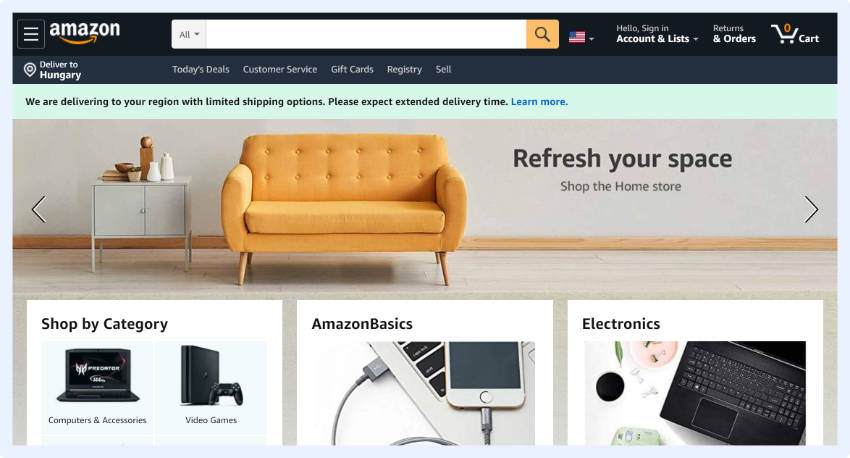
- Use a magnifying-glass icon to signify search as it is a universally recognizable symbol for search.
- If you don’t want to use the magnifying glass, another common option is the placement of a ‘GO’ button next to the search box in color. This adds a certain dynamic to the look of the search box and the message is straightforward.
- Make sure that the search box has a full open text field next to it. Users will have a sense of safety knowing that they can always click in the search box to be able to navigate.
- Some users prefer pressing ‘Enter’ while others prefer clicking on the search button to submit their query. It is a good idea to provide several options so everyone can search the way they please.
- The simpler the better. Place your search box in a central location on the page, or on the right side. These are the conventional locations, so people are used to looking for search here
Place Text in Search Box to Encourage Searches
Simply designing and placing a search box isn’t enough. Adding some text to the box is essential for eCommerce.
Adding a prompt like „search here” would be a start in guiding the shopper.
It is equally important to make sure that the text disappears from the search box when the visitor clicks in it.
Do NOT force them to delete the text before they can begin as this gets annoying.
There is more: You can even provide extra information for the visitor within the search-box. If your search can process product codes and catalogue numbers you should highlight thatfrom the start. This will speed up the search process and enhance the UX. For example, you could include something like ‘Enter product, code, or brand.
Make the Search Box Big Enough for Typical Queries
A shorter text box leads to confusion and forces people to shorten their queries because they aren’t able to see the full search, nor are they able to edit or change it.
So how long should the search box be?
Well, it turns out… Most queries would fit into a 27-character-long search-box.
So we would recommend applying the same rule; this is especially vital for retailers with a wide product range. Since clarity is the most important, a growing/expandable search box would be the ideal solution to accommodate any query.
Browsing shoppers will notice this feature and might be more likely to use the search box – this is great because, as you know, search users are much more likely to convert than regular users.
Place a Search Box on Each Page
Visitors can easily lose their sense of direction on a first visit to a webshop. Once they start feeling uncomfortable they might hit the dreaded ‘back’ button, which erases their search results.
You can easily prevent this by displaying the search-box on each page. The most common placement of an onsite search-box is on the top of the page either in the center or on the right. We strongly recommend checking where your top competitors placed their search box. This gives you insight into where shoppers look for the search box.
The only exception to this rule is on a checkout page. Here, a search box can distract shoppers from completing a purchase, so we recommend excluding it.
Strong Error Tolerance for an Uninterrupted User Journey
A prerequisite for site search usability is a strong error tolerance for typos.
If someone searches for a brand name (even if misspelled), they should never end up on a 0-results page. Brand names like “blackberrie” for Blackberry, “nice” instead of Nike, or product names like “games board” instead of “board games”, colors like “balck” or “wite” instead of “black” and “white” should not result in 0-search results.
It happens every now and then, right?
Phonetic misspellings need to be handled with equal care. The user may have only heard about your product from a friend or the news and is thus unsure how to correctly spell it.
By adding to the list of possible words with alternative spellings you can start to see a new light.
34% of searches don’t return relevant results… just think about it. Your business’ success relies a lot on whether users find the product they are searching for or not. If they can’t find it they can’t buy it. It is as simple as that.
Lower sales hurt, but 0-results pages might affect your site’s traffic in other major ways:
- Users will be less likely to return to a shop where they can’t find what they want to buy. It’s simply frustrating.
- They will also spend less time on your site and might have a higher bounce rate, which can decrease your overall site stats which negatively affects your Google ranking.
Losing money in so many different ways is mind blowing, don’t let it happen!
Search Query Autocomplete
How does it work?
Search engines predict search queries as they are typed. By providing auto-complete versions for specific queries you manage to guide the visitor to the most in-demand and relevant products.
If submitted queries don’t have an exact match, the least you can do is show potential matches. This may well be what the user was looking for.
Site search tools solve all these problems.
With a good autocomplete solution, your site can be improved. You can add different ”boosts” to suggestions in order to promote keywords that serve the same intent, but have better conversion rates. A good auto-complete will list the most relevant products first.
You need to be careful – choose a quality solution
So, you see it can be quite tricky.
Autocomplete suggestions are about guiding users and helping them construct a search query that will get them the products they are looking for.
Many perceive these suggestions as “recommendations” and use them instead of sticking with their own initial idea.
Some users go father and if they like the suggestions, they will experiment by adding more details to the query as long as the suggestions continue being relevant.
According to the Baymard Institute, testing the autocomplete suggestions can often slow down the search process, although users don’t view this as such.
In the long run, search autocomplete solutions not only increase the relevancy of results, but also increase your users time on-site, which help with SEO.
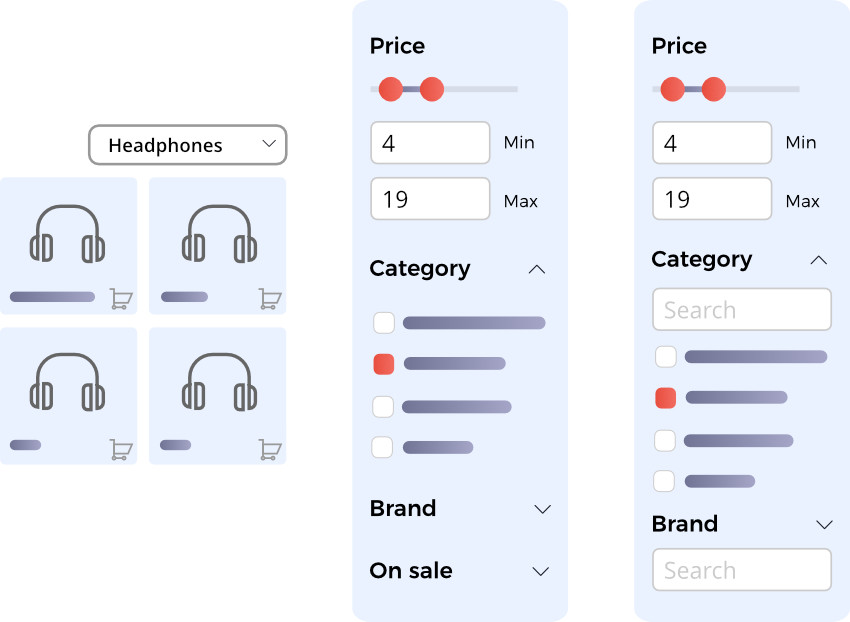
Allow Visitors to Search within Particular Departments
Here’s the deal: By adding options such as an ‘all departments’ filter to the left side of the search-box you can help the shopper save time and produce more relevant search results.
This is a great way for sites with a wide variety of products to help shoppers search. If you provide handy filter options from the get-go you can ensure more relevant and accurate results for the visitor.
It’s a simple helping hand, but the improvement in your conversion rate will show you how much it really matters.
Comprehensive Analytics and Reporting for Optimization
Implementing comprehensive search analytics is incredibly important for optimizing your site. You can set all sorts of tracking in Google Analytics.
To Name the Most Important:
- Top performing queries
- Top performing products based on clicks
- Top performing products based on conversions
- No search results
- Number of filters used
Based on these findings you can implement changes where you see fit.
High-volume search with incredibly low conversions? Probably stock issues.
Queries with no results? This can serve as valuable information about products customers are looking for, but you don’t currently stock.
This can provide you tips on what products to add to your catalogue, or at the very least, give you ideas on what other products you could suggest for the queries that repeatedly return no results.
Some site search tools include built-in analytics which usually provide much more in-depth information than Google Analytics. This way, you kill two birds with one stone.
Simple Integration for Faster Time to Market
There are some alternative solutions for complex integrations, but these are only worth implementing if your store has a lot of products.
A quick, cost-effective solution is better for smaller and medium eCommerce businesses. Lots of third-party eCommerce site search solutions have integrations with Shopify, Woocommerce, Magento, and other open source platforms.
Either way, by now you must have realized how much money you are leaving on the table due to an un-optimized site search solution.
So, you also realize the sooner you optimize your site search, the sooner you will earn more money. Still, we recommend you choose providers who can prove the effectiveness of their tool within a short period of time. One month should be enough.
Focus on Mobile Search to Turn Browsers into Buyers
Search drives higher conversion rates on mobile and desktop sites.
A well-optimized search has even more significance for mobile users – it is a good idea to have a version of your site solely dedicated to mobile.
On mobile, a shopper’s view: is limited to 1, maximum 2, products per screen. Whereas on a laptop: dozens of products are visible at once.
On mobile, shopping quickly becomes tedious and visitors lose interest.
This is how a sale is lost.
However, making the search bar visible as a default, you can experience a higher conversion rate and an accelerated path to purchase.
Faceted search leads to a 20% increase in conversion rates “when compared to hierarchy style and pull-down refinement style navigation systems.” Better filters with facets, a quicker interface, and a well-optimized search all contribute to increased conversion rates.
Find more tips to optimize your mobile shop here.
Natural Language Processing for Better Results
Natural Language Processing (NLP) is already used by the biggest companies (Apple, Facebook, Amazon, etc.).
Yet many eCommerce search solutions have difficulty interpreting natural language queries.
The premise is simple: users type a search query in the same way they would say it aloud to a friend or salesman and get a relevant answer.
If you can submit a question or product request and get a relevant answer straight away, then why bother going to the physical store?
Let’s say a search user submits an NLP-based query for ‘red women shoes size 9 under 20 dollars’ and she gets exactly the list of products she wanted.
This saves a lot of time and effort for the visitor and speeds up the buying process.
Checkboxes and lots of clicking?… not needed here. An NLP interface produces breathtaking results.
The 14 Hottest Site Search Best Practices to Create Search Result Pages that Sell
Provide Accurate and Relevant Results
Products should be ranked according to the query.
With NLP queries, a simple feature query such as the word ‘green’ should only lead to results that are green-colored.
The interface should list the top 5 relevant results based on the query and rank these based on the amount of clicks each receives.
Knowing your best performing products comes handy when setting up product ranking rules.
If you check your data and see lower positions are clicked more frequently, then you know you need to adjust your ranking criteria.
People don’t want to scroll through multiple pages nor do they want to see irrelevant results. If the product they’re searching for is not at the top of the SERP, they will (rightly) be frustrated and take their business elsewhere.
Simply having a search box isn’t enough to reap the business rewards. It has to be well-functioning.
Avoid Zero Search Results
It is a real pain when people leave your site due to issues that could easily be optimized such as irrelevant search results or ending up on a 0-results page when a simple query is executed.
Feelings of frustration can quickly escalate into site abandonment. It gets worse:
Turn these issues into opportunities: if you examine your 0-results pages, you can get insight into what people search for.
When analyzing this data, expect to see seasonal trends and get insights into user vernacular.
Even if you don’t offer autocomplete, dead ends like 0-result pages should still be avoided.
In place of a 0-results page with no valuable insight, provide tips such as: ‘Check your spelling’, ‘Try searching for one or two words’ or ‘Try looking within other departments’ on the page.
Speaking of which: You can list all your departments on the 0-results page along with your phone number.
Why this is awesome: You can transform problems into opportunities.
As a last resort, you can always promote some of your most popular products on a 0-results page or display the products that match most closely to the searched term.
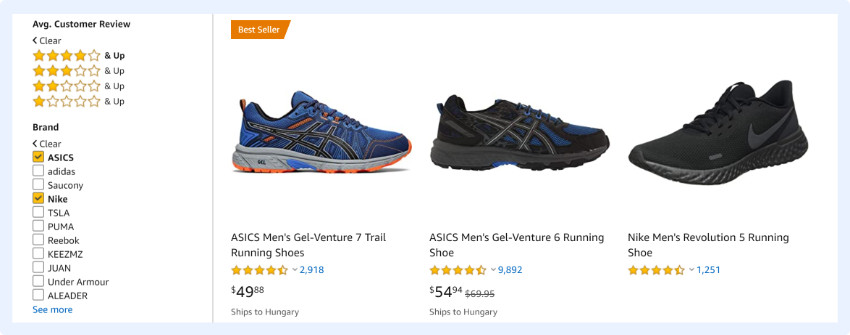
Include Reviews as Filters
Reviews give credibility to your product; they are based on mutual trust.
A study from 2013 confirms that “88% of consumers (…) trust online reviews as much as personal recommendations.“
People who make purchasing decisions based on reviews are almost split down the middle by what they’re looking for.
One half: will make a decision based on quantity – so here, having a high number of reviews helps. The other half: will make a decision based on the quality of the reviews – here, authentic reviews are important.
User generated reviews are tremendously influential in persuading people to buy because they remove the doubts people have about the product or service in question.
The bottom line is: Reviews are critical.
Most people check reviews before deciding what specific products to purchase, so by including these, you’re standing behind your product, displaying the quality, and allowing users to speak for you – this all builds trust.
Reviews show the true quality of a product, not self-promotion.
If your products get enough reviews, you should consider implementing review filtering so that new customers can see your best performing and most appreciated products.
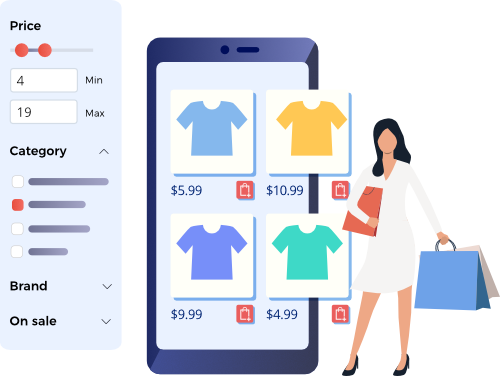
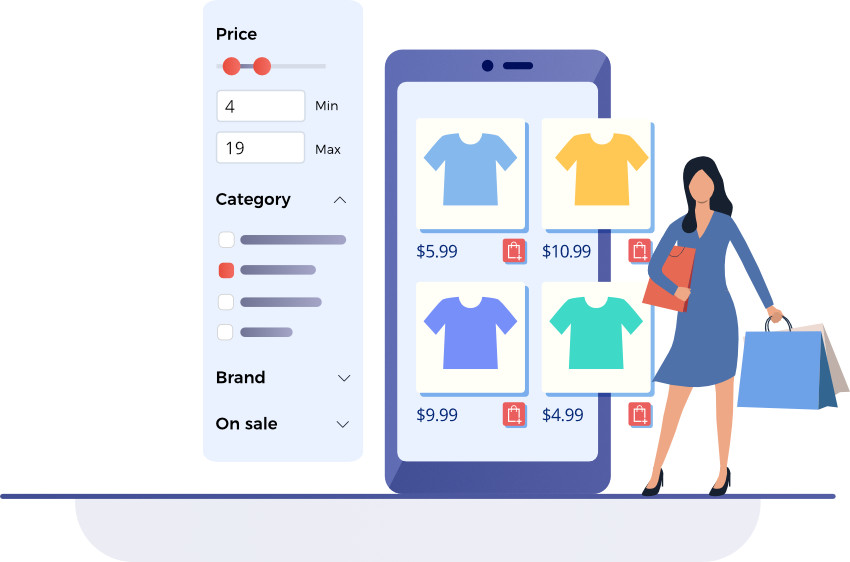
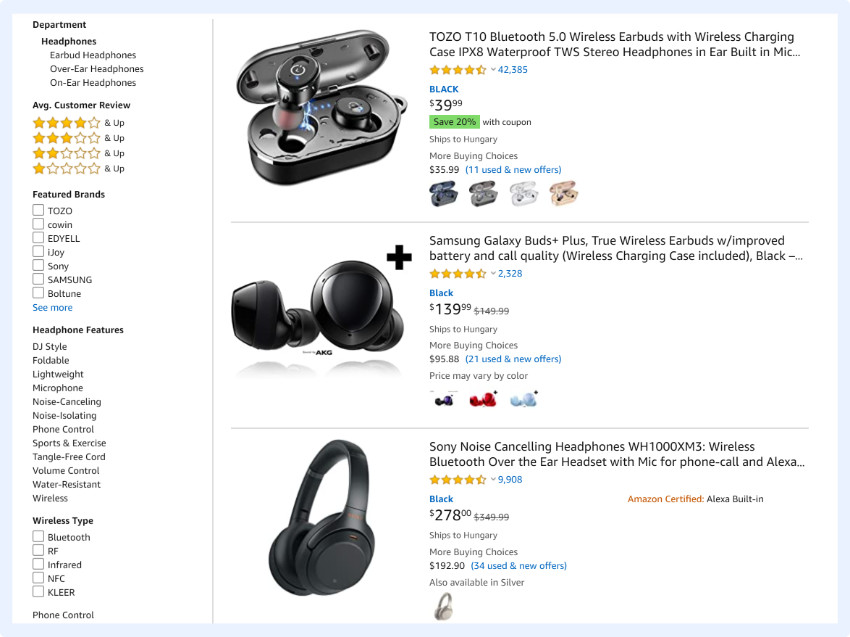
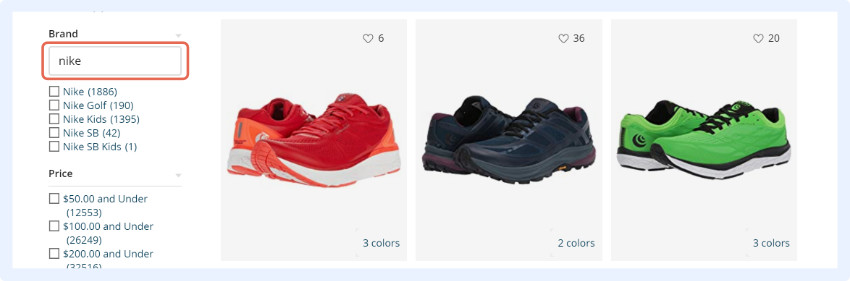
Use Different Filtering Options, Your Users Will Be Grateful
Including reviews as a filtering option is important, but so is including these other categories:
- Product category
- Price range
- Brand
- Color
- Size
- User ratings
Depending on the range of products and the size of the shop, more search filters could be added. However, for a start, these 6 would be enough.
Use the Power of Social Proof
Social proof is a great asset to leverage on eCommerce sites since we, as people, are social animals and follow examples that lead to success.
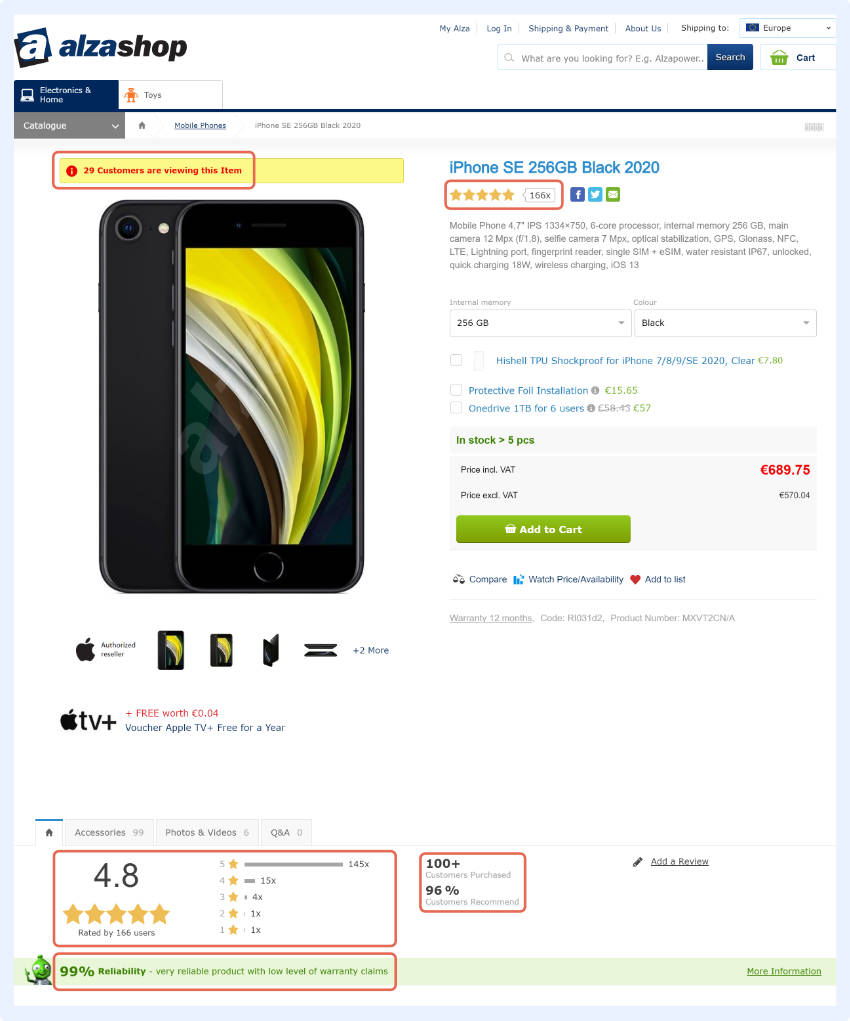
One shop that uses social proof in a great way is Alza shop. They display the number of times the given product has been bought during that particular week or particular day. An ‘i’, symbolizing information, is displayed in red ink right above the product and shows you the stats.
A high-end example would be FraserHouse, where this idea is more subtle; they only display this information for a few seconds.
Here’s the kicker: You can use this same idea, but display other details which might add a sense of urgency to the buying process. People tend to fear missing out on something, which makes adding the number of items available or the number of customers viewing the product a successful way to boost sales.
Show Non-Product Results
Sometimes when people use your search, they may be looking for how-to’s or for customer service.
By having a search function that can display these results, you set your shop apart from your competitors.
Shoppers appreciate this as help is always welcome. If nothing else, the average time spent on a page would increase, which helps with SEO and PPC.
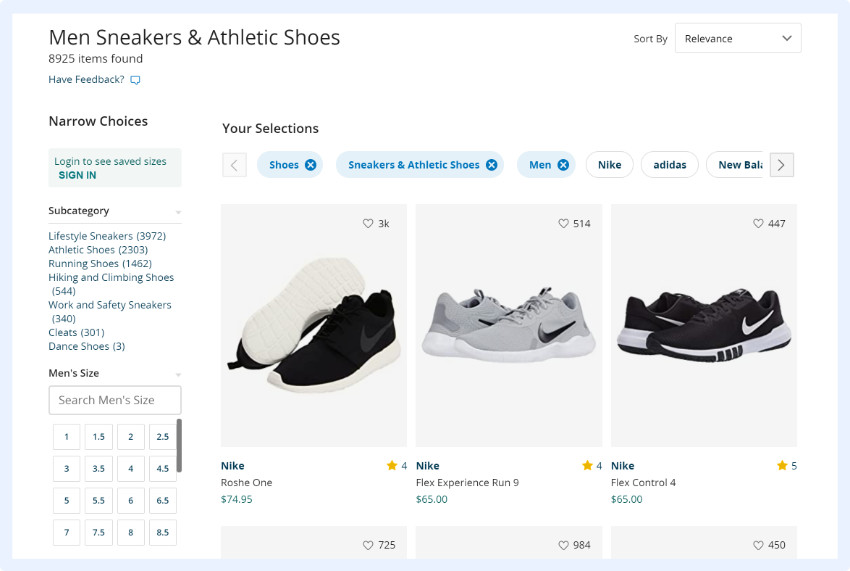
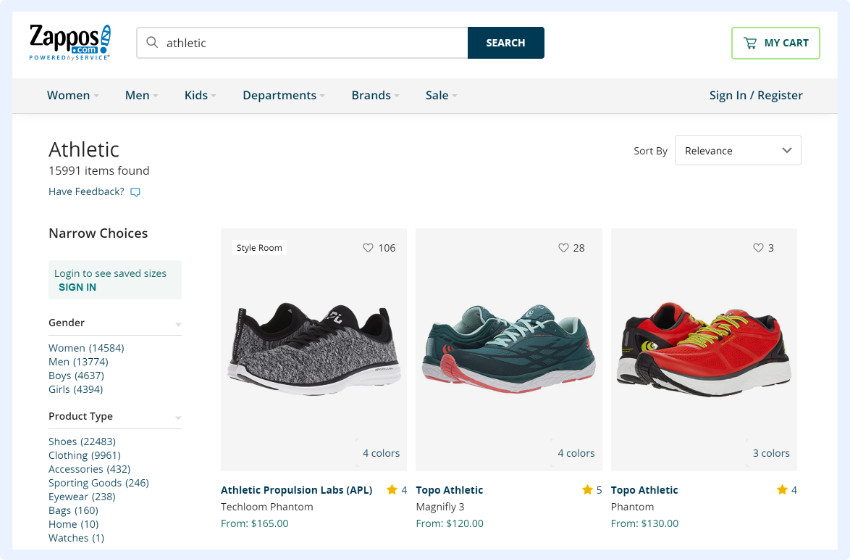
Allow Users to Tailor Results
Make sure that different views are available for the shopper to tailor the appearance of the SERP.
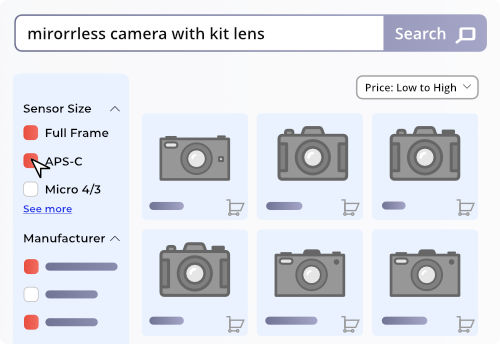
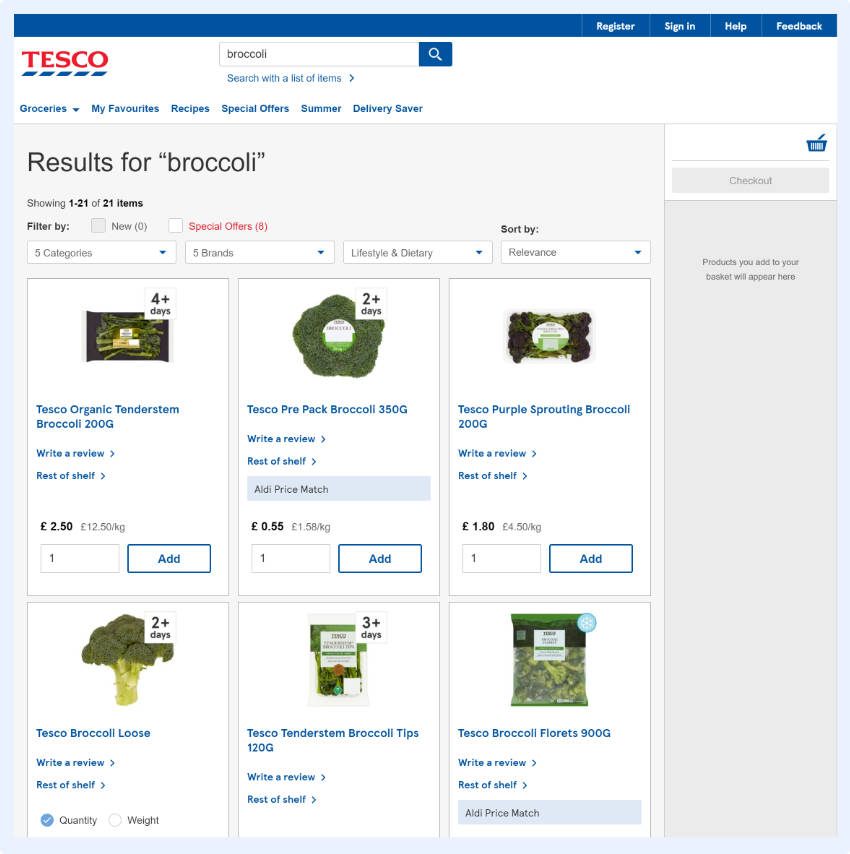
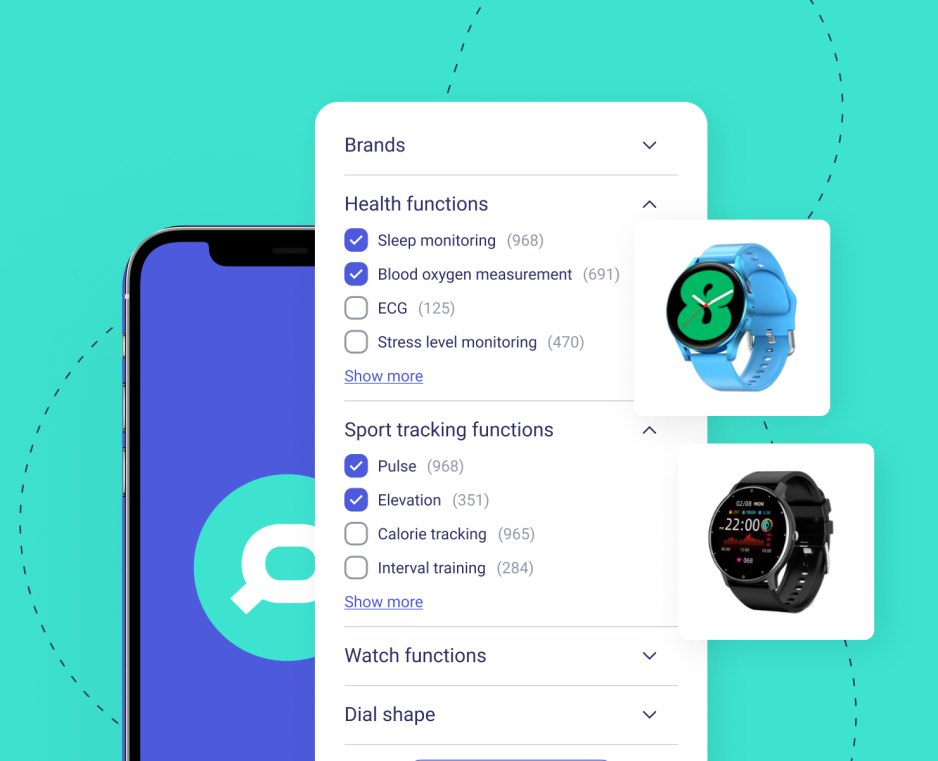
Tesco does a great job of this. Their product range is huge and a simple search like “broccoli” returns many different brands, price ranges, lifestyle & dietary options. So, here, having options that allow a shopper to tailor results is an important step to personalizing the buying experience. This is called Faceted Search.
While Faceted Search is important, only 40% of eCommerce sites offer it. Filtering and sorting are essential tools that help users find the right products amongst the alternatives.
Since this technology isn’t widely embraced, this is a great way to get an edge on your competition. Don’t wait too long though, otherwise your competitors might get ahead of you.
Sorting Options
Sorting options are not as common as you might think, even though they’re important.
A Few Ecommerce Site Search Best Practices:
- Price: lowest first
- Price: highest first
- Sale
- Relevance
- New items
You can always set one of these that is most beneficial to your business as a default.
Optimize Synonym Search
This helps reduce the 0-result page rate.
By optimizing synonym search, you can get rid of 0-result pages and gain conversions. This can be quite nuanced, so be sure to check out some synonym management best practices before getting started.
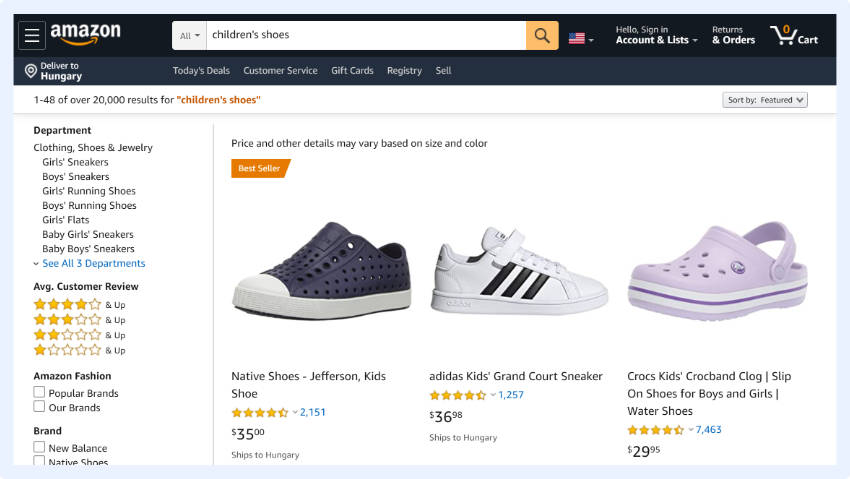
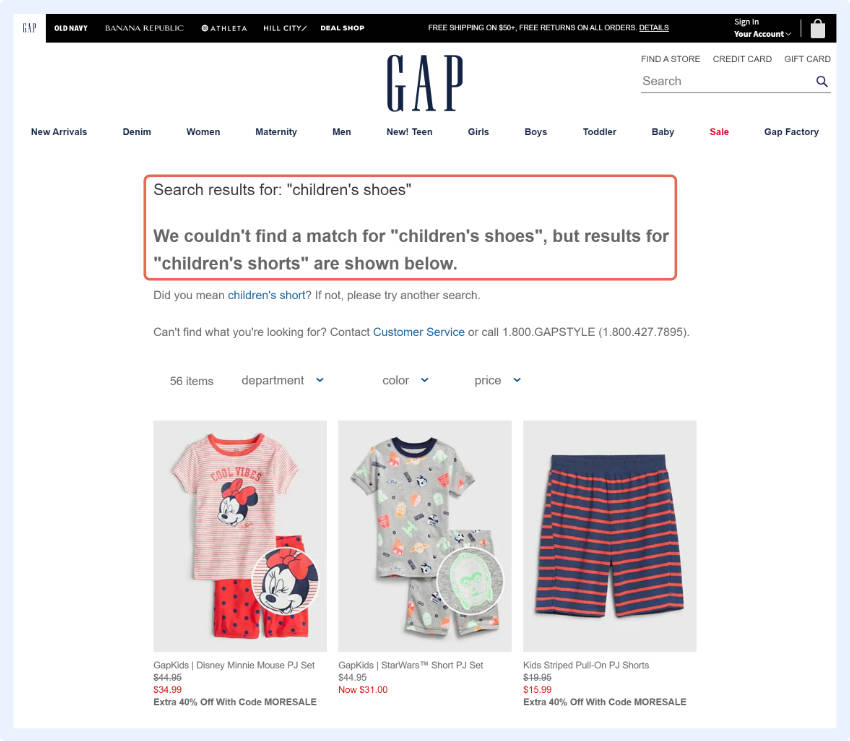
Taking two random examples for the query ‘male shoes’: Amazon displayed results, whereas GAP only did when the query was changed to ‘men’s shoes’.
These dead end searches may be a result of a shopper searching for a certain brand you don’t stock or a common misspelling. Instead of not showing any results at all, you can show similar products from similar brands.
Let’s think about it.
For any business whose vocabulary is not well-known or where there are many synonyms for their products, synonym handling can be a real game changer.
Think about elderly people who aren’t familiar with the tech industry who are trying to buy electronics or for young adults who are trying to buy cleaning products for the first time.
These people don’t know what exactly to search for and are unlikely to correctly guess the site’s jargon, so by adding synonyms, you help these people find the products they’re looking for.
Show Product Images when People Mouse-over
‘Lightbox’ or ‘quick view’ displays show a mini-image when visitors linger over the product.
On Wolf & Badger products can easily be viewed from different angles, so users can get a better idea of the products without having to load each individual product page. This is a faster and more effective way for shoppers to view products.
A simple, but certainly effective way to improve user experience.
Use Dynamic Thumbnails that Actually Resonate with the Query
This is incredibly important and not frequently done.
If a user searches for “red coat”, all the thumbnail images should be shown in red.
According to Baymard, 54% of web shops do NOT use dynamic thumbnails.
I bet by now you know it by heart that search users convert better than the average visitor because they already know what they want to buy.
Your job is to make the buying process as easy as possible by removing any obstacles. One such obstacle is our own senses. If we are looking for a red coat and the thumbnail shows a blue one, we are less likely to click on it. This is an easy obstacle to overcome.
Provide Quick View Options that Actually Resonate with the Query
This isn’t easy, but you and your customers will love it.
Quick View windows show a mini version of the product page with an “add to basket button”. Since the shopper never has to leave the SERP, this speeds up the buying process.
Quick View windows can show more than images and the add-to-cart button. Usually, shops display most of the product details here so that users can select the size and color of the item they want and add it to their basket.
Show the Search Query on the Results Page
By keeping the search term displayed, you remind the shopper what they were searching for and, at the same time, provide them a chance to iterate on the query or add an additional feature.
This yields more accurate search results.
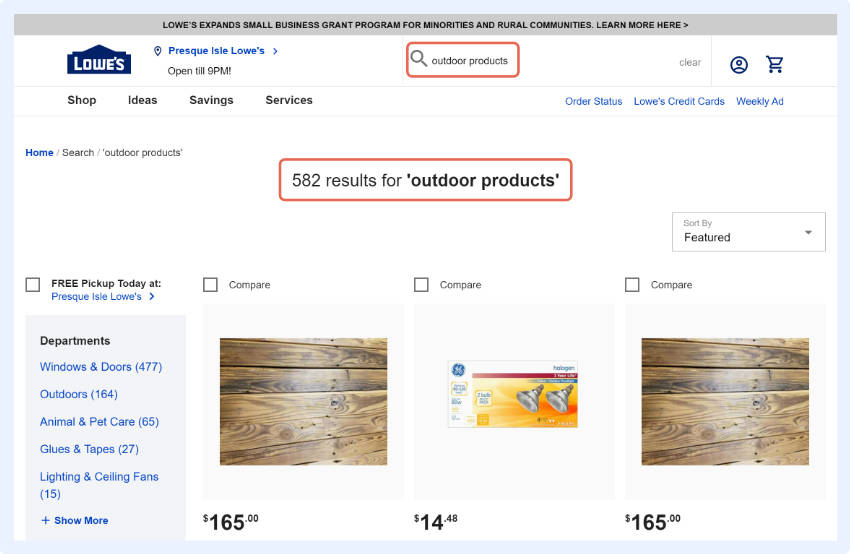
One good example is Lowe’s eCommerce website where I was looking for ‘outdoor’ products but did not specify exactly what I wanted.
However, since my query was still displayed in the search box I was able to clarify my request based on the search autocomplete suggestions.
Compare this to the time I was searching for “books” on a bookstore page and they did not provide the same option. My query disappeared and I had to start typing all over again.
It is much better for the customer when you keep the query in the search box until a shopper checks out.
Show Technical Description
Dell shows a product’s technical details under the names, which speeds up the purchase journey.
Shoppers don’t have to use different features to compare similar products, they can do it right on the search result page.
With this, users can see what they want within a product range and click accordingly.
This is especially relevant for high-tech eCommerce businesses, but any business can benefit from this. Any shop that offers products where the features are easy to compare (such as: cars, bicycles, instruments, hair extensions, etc.) can use this.
Summary
Whether you have read the whole article or just skipped to the summary, here is the juice of our guide in 1 minute.
Let’s Recap Some of the Amazing Numbers We Talked about
Search users are at least 4-6 times more likely to convert than the average webpage visitor.
In certain industries, search users can convert 1873% better.
And that’s not all.
Search users can make up 10-40% of all the users on your eCommerce website, which means that 40% to 80% of your online revenue could be generated by search users.
How Can You Boost Your Revenue with Search, You Might Ask
Usually these users already have a clear idea about what they want to buy. Your job is to remove all the obstacles that could hinder them from finding it.
Encourage shoppers to use the search options and provide them with a seamless experience. In this article, we gathered the latest trends and eCommerce search best practices to help you achieve these goals.
To have a good eCommerce search solution you certainly need to capitalize on these opportunities, but to be able to stay ahead of your competitors you need to excel at using and optimizing your search. Whatever decision you make, you need to move forward.
Paige TyrrellHead of Marketing – PrefixboxPaige is the Head of Marketing at Prefixbox, a leading eCommerce site search solution. She’s an American who’s been living in Budapest since 2017 and loves giving #alwayslearning sessions to help people optimize their online stores.







![Top 25 Best Practices For Ecommerce Site Search [2026]](https://www.prefixbox.com/blog/wp-content/uploads/2019/04/Top-25-Best-Practices-For-Ecommerce-Site-Search-2023-938x750.png)